Setup Postman
Import Snapshots collection
- Open Postman
- Import Snapshots Postman collection. Snapshots Postman Collection
Configure environment variables
- Create a new environment in Postman
- Add the following variables to the Postman environment
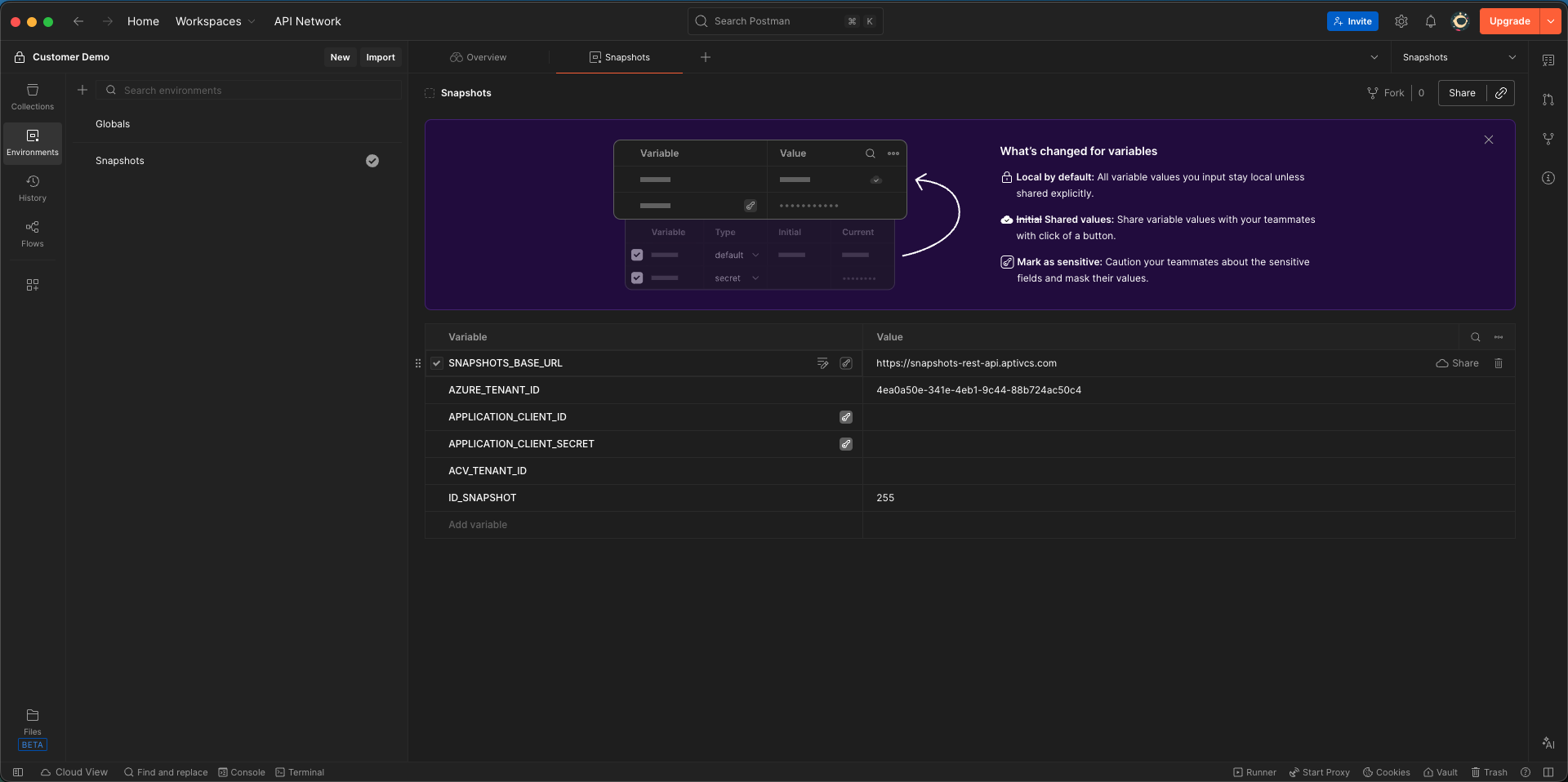
SNAPSHOTS_BASE_URL=
AZURE_TENANT_ID=4ea0a50e-341e-4eb1-9c44-88b724ac50c4
APPLICATION_CLIENT_ID=client credentials id
APPLICATION_CLIENT_SECRET=client credentials secret
ACV_TENANT_ID=999
ID_SNAPSHOT=The id of the snapshot to analyze, e.g 255
Authentication
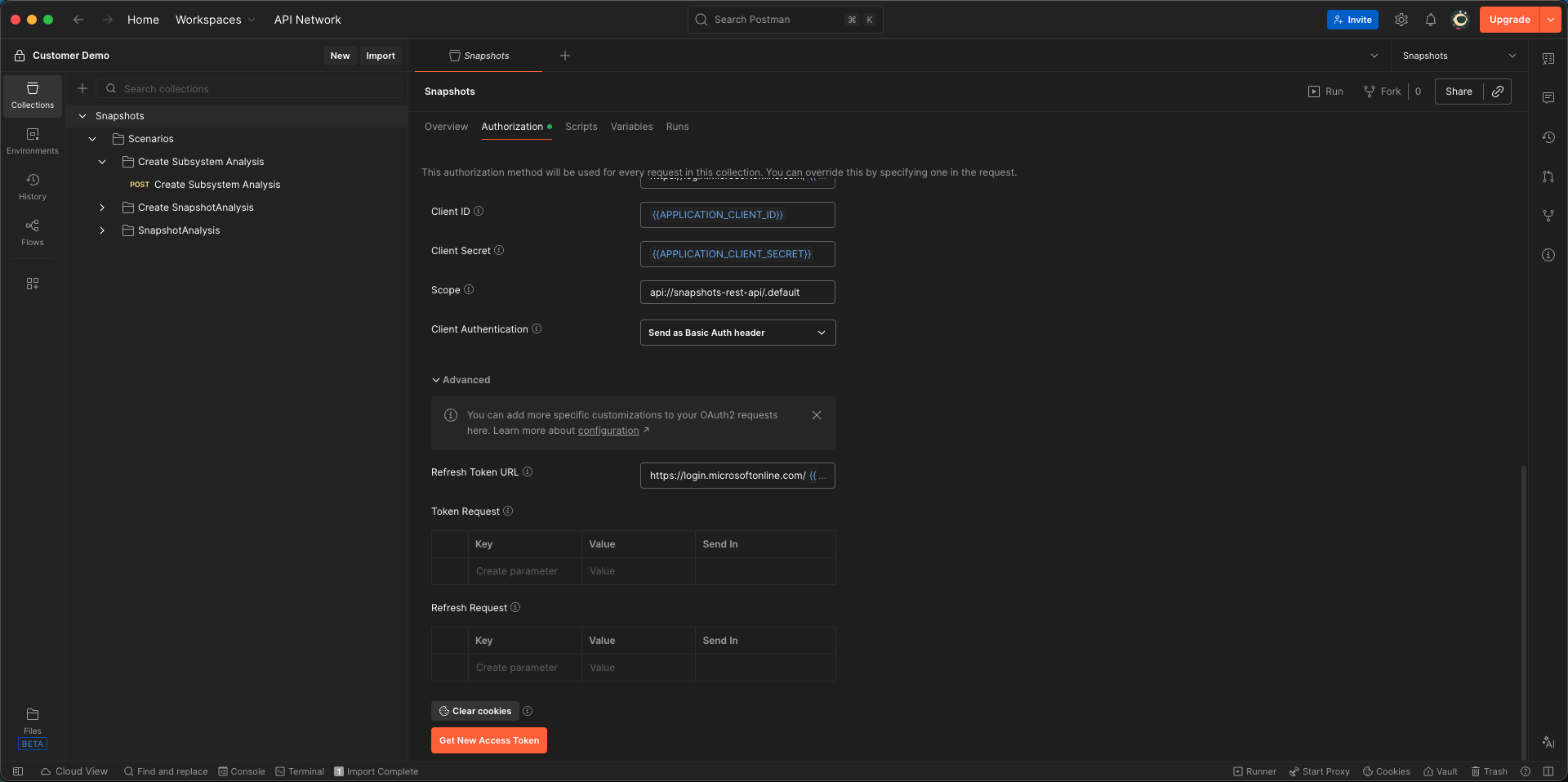
After successfully filling out the environment within postman. We need to fetch an access token using Postman. The imported collection contains a pre-setup authorization configuration that will use the environment variables to fetch a client_credentials access token.
- In Postman, select the Snapshots Collection
- Navigate to the Authorization tab in the Snapshots collection
- Scroll to the bottom and click on "Get New Access Token"